Block schedule.
The skeleton of the day. Rig, soundcheck, blocking, rehearsal, doors, show, strike — the coarse blocks every department plans against. Built once, owned by the producer, visible to everyone.
Lives before the show.
One tool for the production day and the show window. The producer who builds the day at 08:00 runs the show at 19:00 — same rundown, no re-keying, no second system waiting at the transmission block.
It replaces the printed run-of-show, the projected Excel, the Slack pin, the group text — and the wall.
Producers, show directors, technical directors, stage managers and team leaders — and the crew on the floor, who get a link instead of an account. Runs in any browser; installs to the phone home screen without an app store.
A producer lays the day out once — rig, load-in, soundcheck, blocking, rehearsal, doors, transmission, strike. Every department plans against those blocks. Move one and every call time under it moves with it, and the people it affects are told.
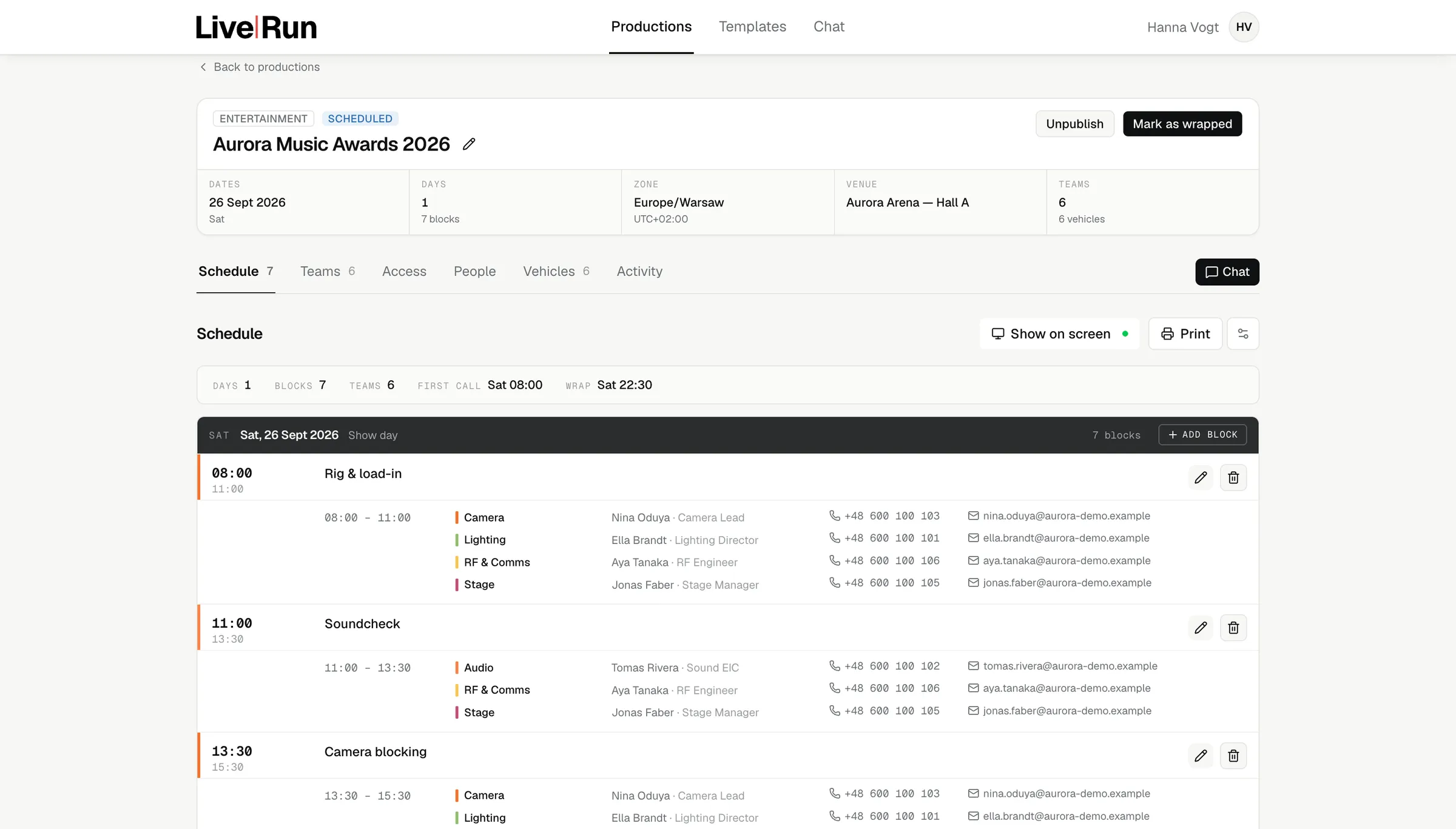
Each block carries its window, the departments called into it and the people on site. Move one and everything after it cascades — unless it is pinned, which is how a transmission window stays at 19:00 while the rehearsal runs long.
The schedule has a single owner. Show directors get the rundown, team leaders get their own department, the crew gets read access. The rule is enforced in the database, not by convention.
A new call time goes out as a push notification, at the lead time that production is set to. Nobody has to forward it, and nobody reads yesterday’s version.
Departments and the leads who staff them, the compound and what parks in it, every production you have on in one month, and the formats you run often enough to keep as a skeleton.
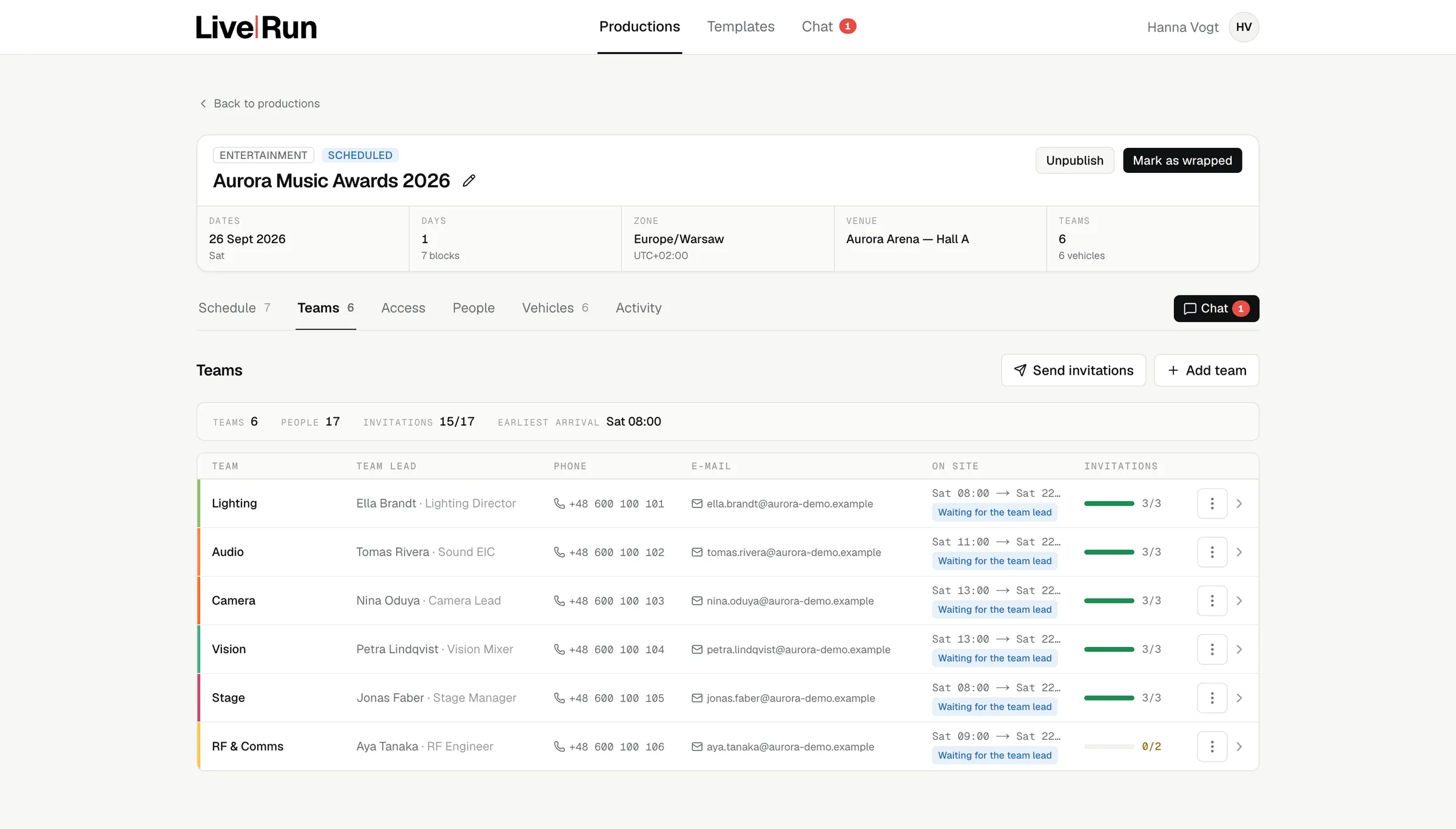
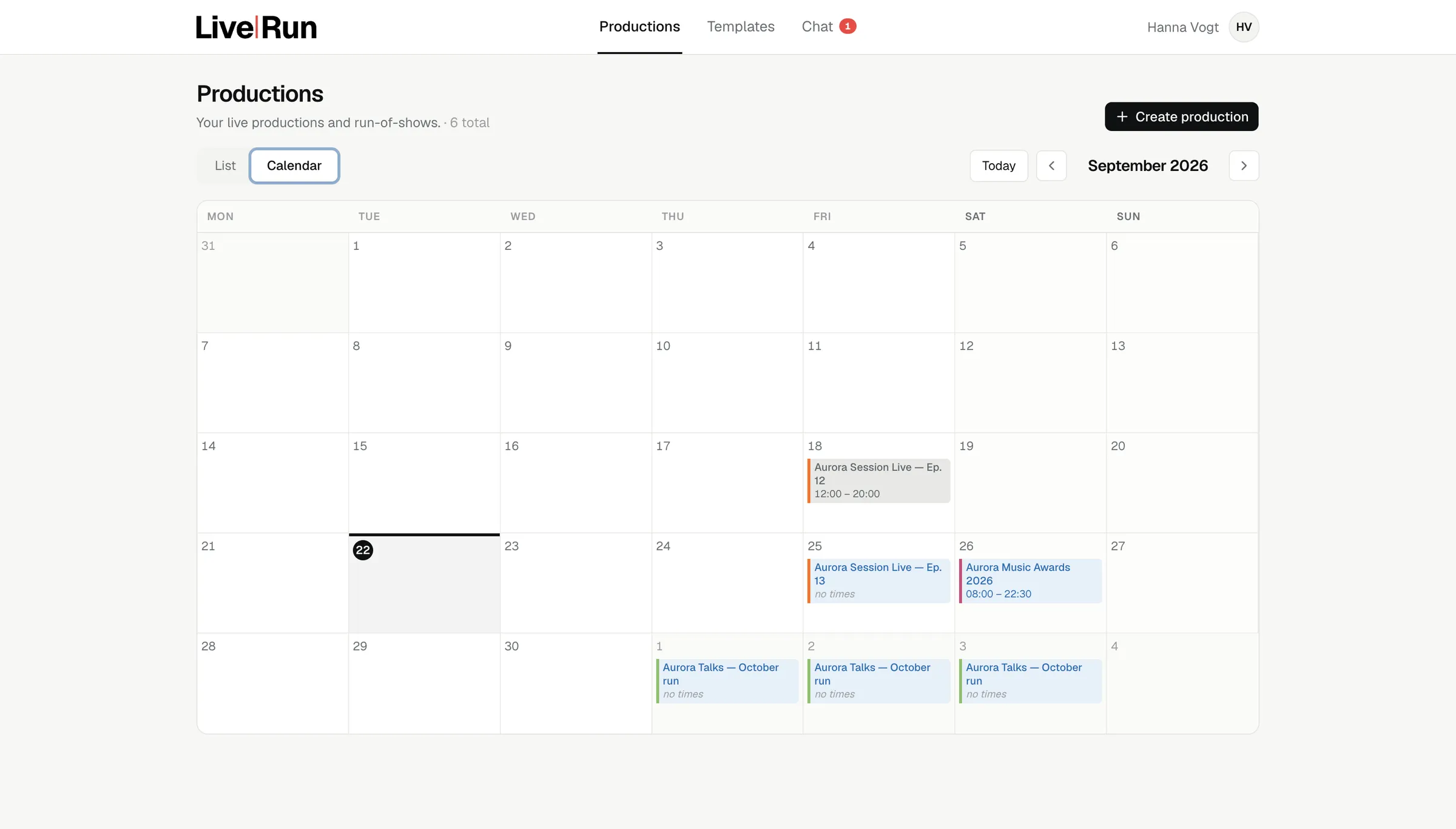
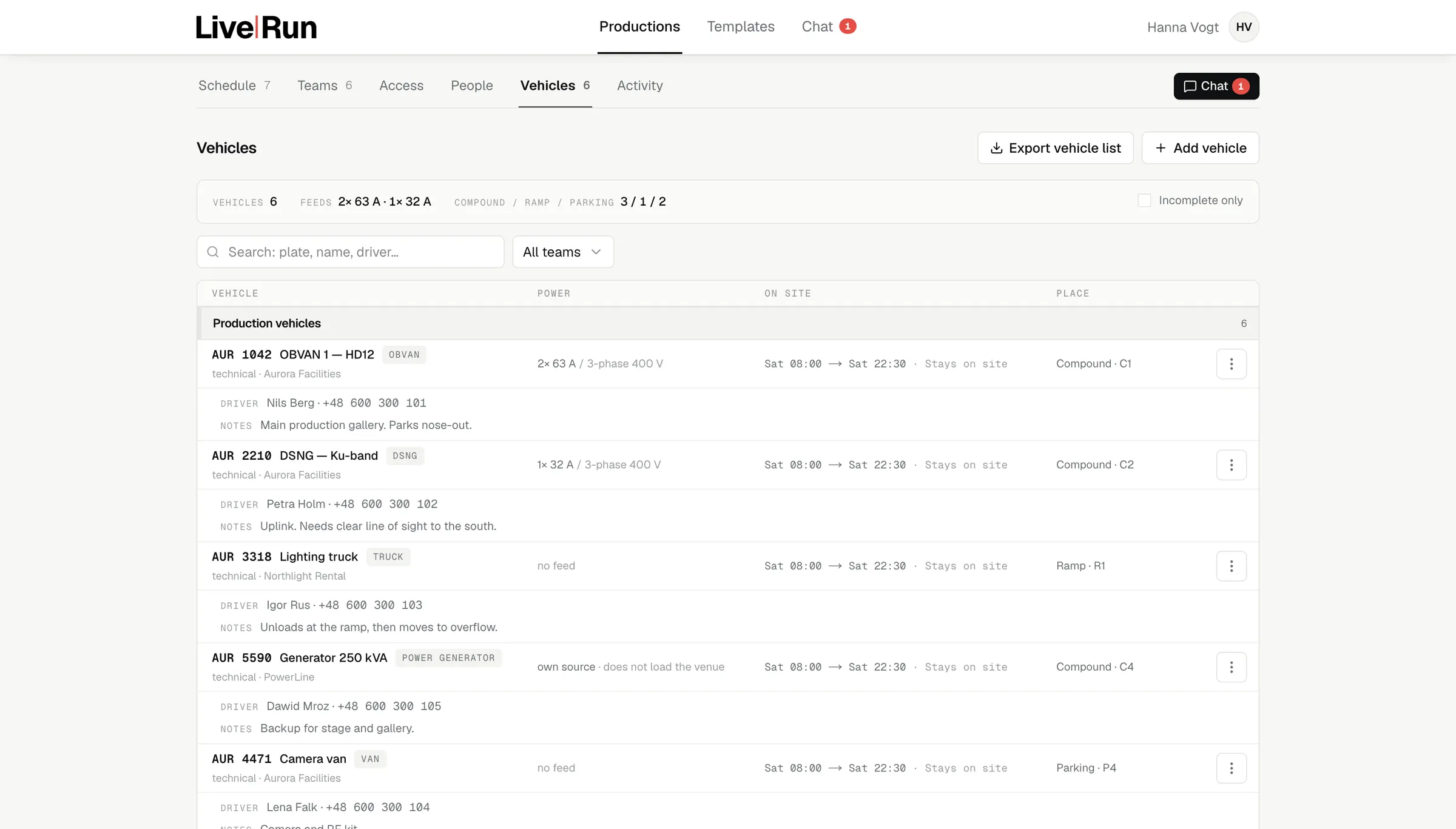
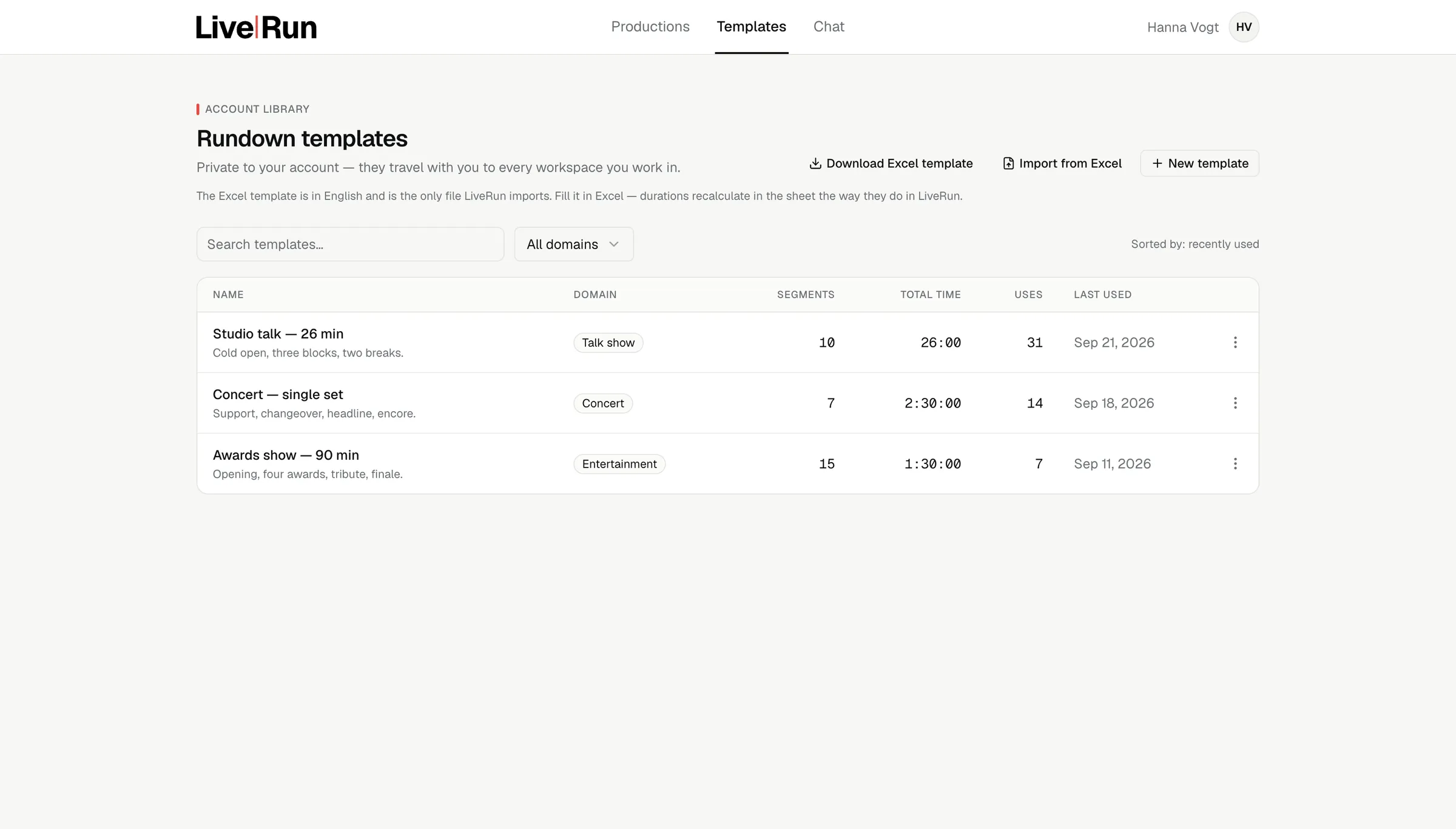
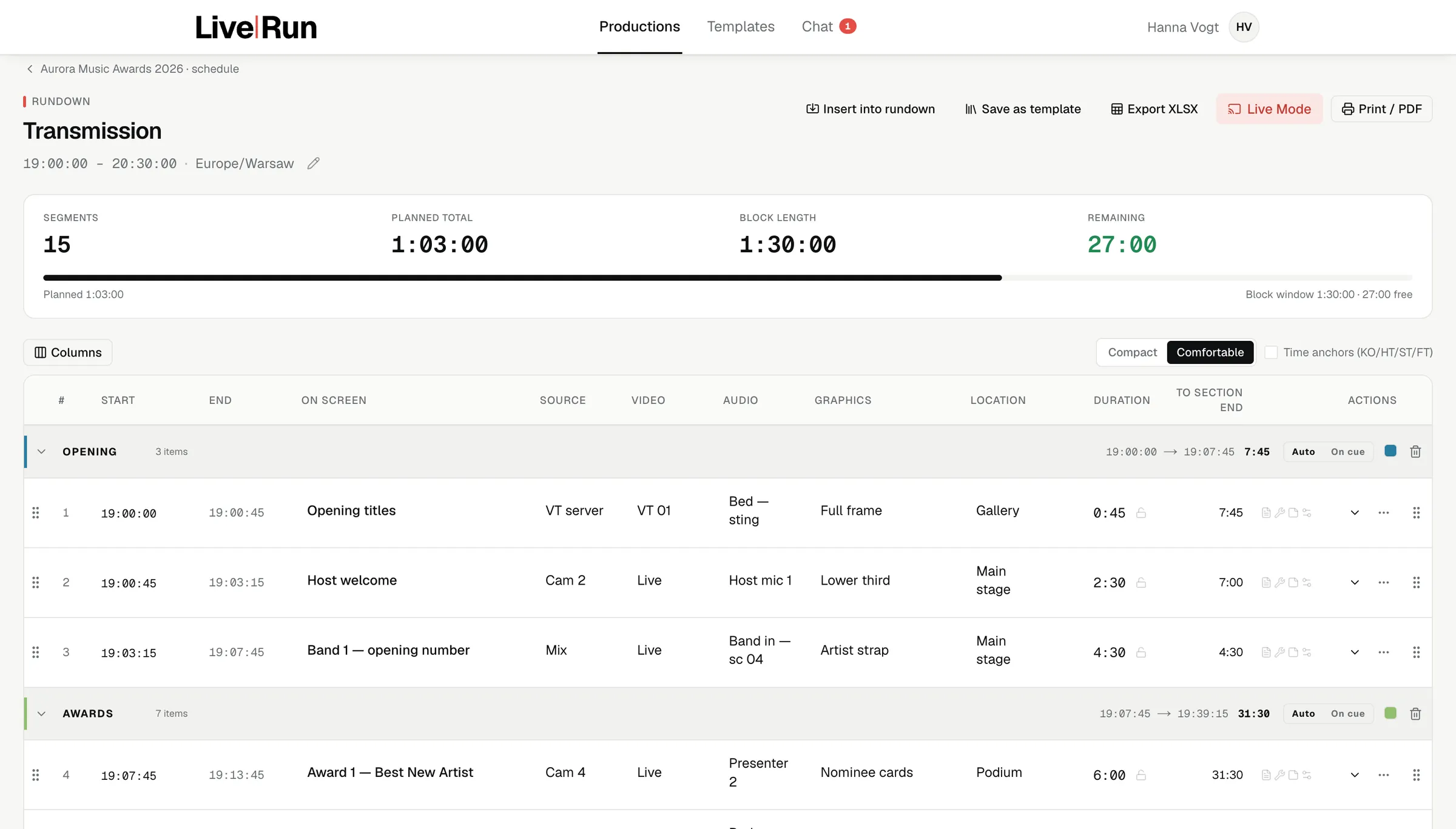
Most production days run the same shape: block schedule → rundown → block schedule. The coarse structure of the day on one side, the second-by-second cue list on the other.
The skeleton of the day. Rig, soundcheck, blocking, rehearsal, doors, show, strike — the coarse blocks every department plans against. Built once, owned by the producer, visible to everyone.
Lives before the show.
Nobody re-keys the day into the show. The producer who built it and the director who runs it are in the same rundown — the surface changes register, and nothing has to be carried across by hand.
One second wide.
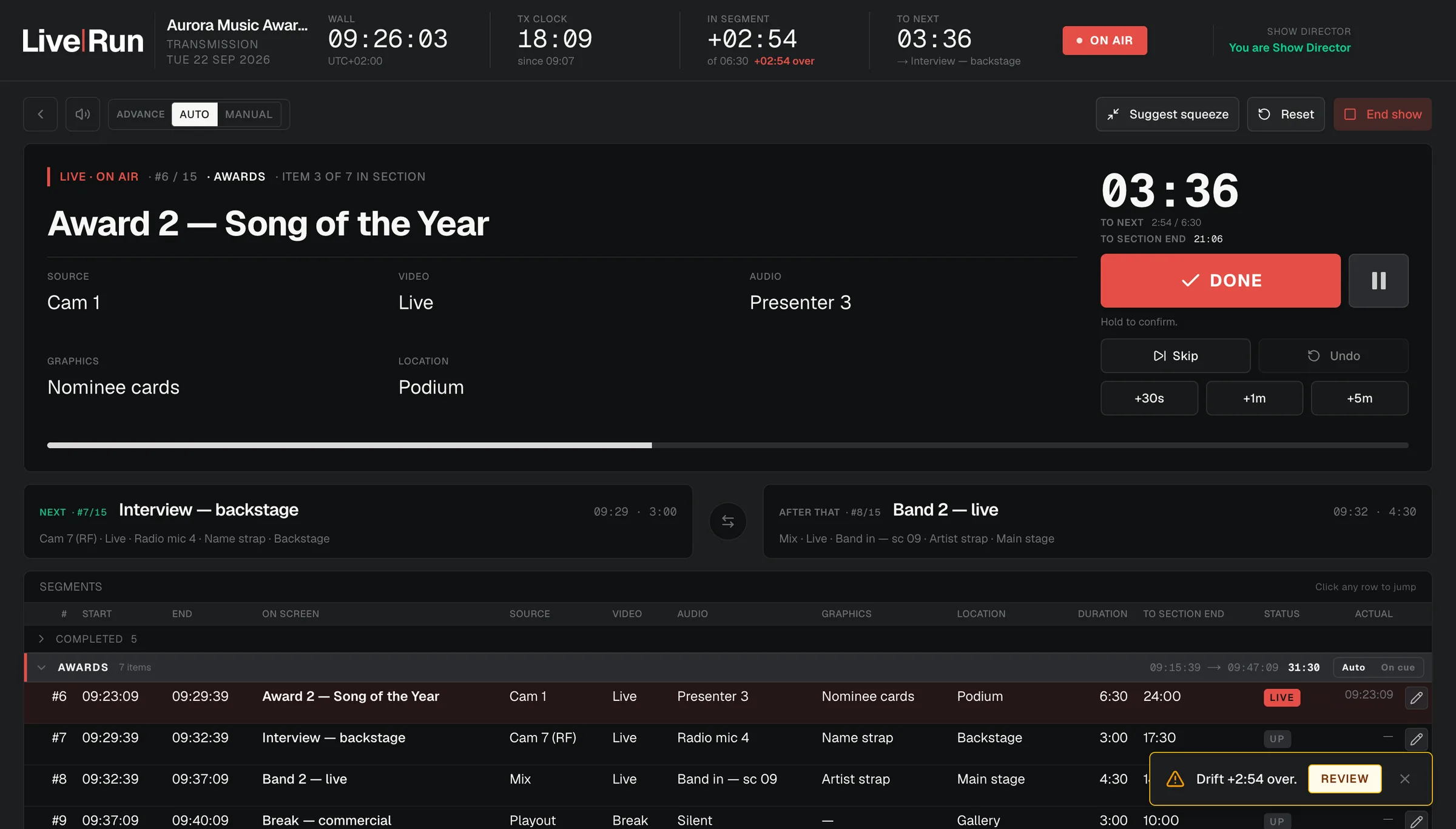
The cue list. Transmission clock, time in segment, time to next, and the two things about to happen. Everyone on the same line, at the same second, on whatever device they have on them.
Lives during the show.
Four clocks that do not disagree: the wall, the transmission clock, time in the current segment and time to the next. Positions are fixed — only the values move, so nobody hunts for a number that has drifted somewhere else on the screen. Drift is displayed, not smoothed away.
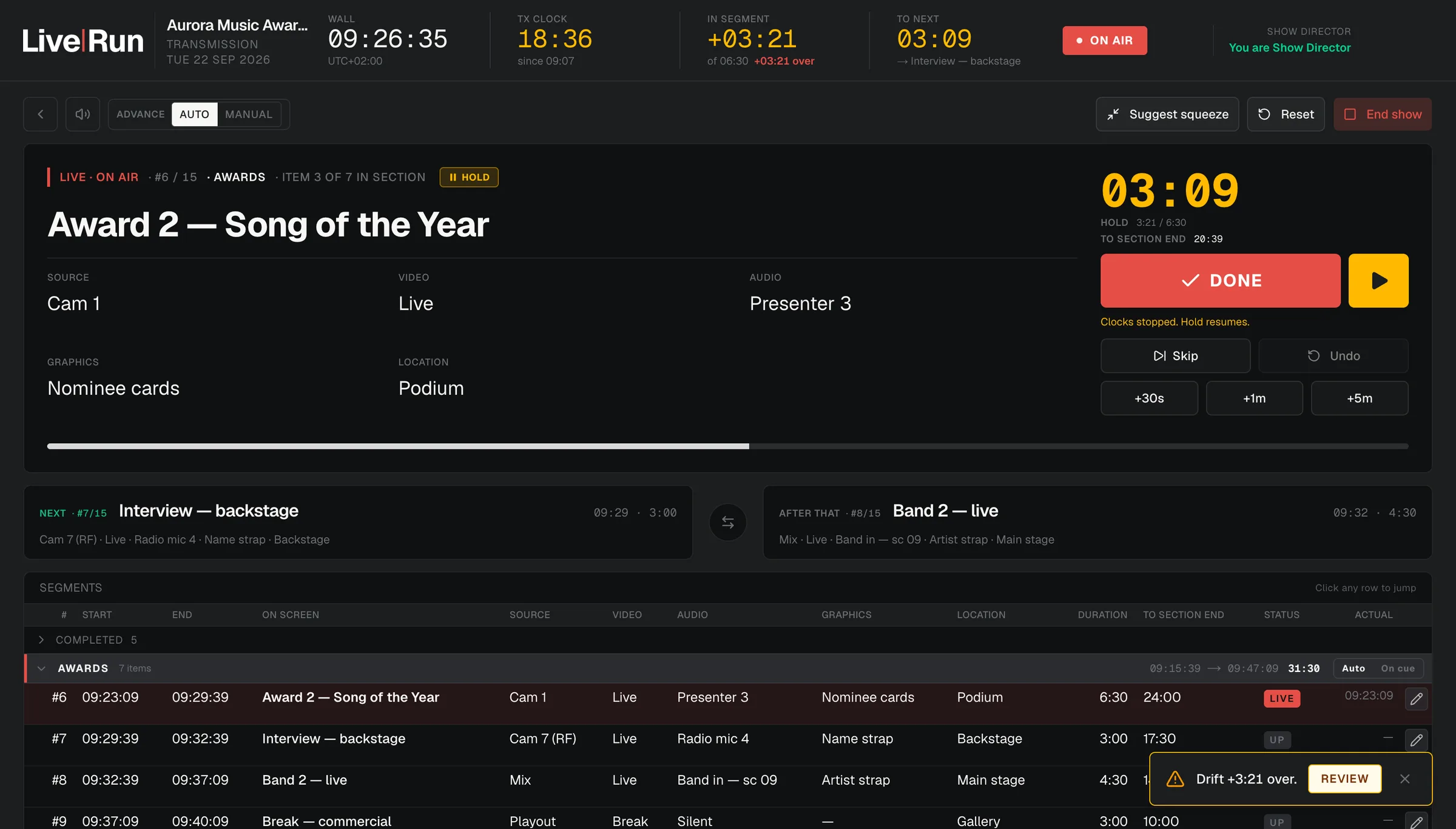
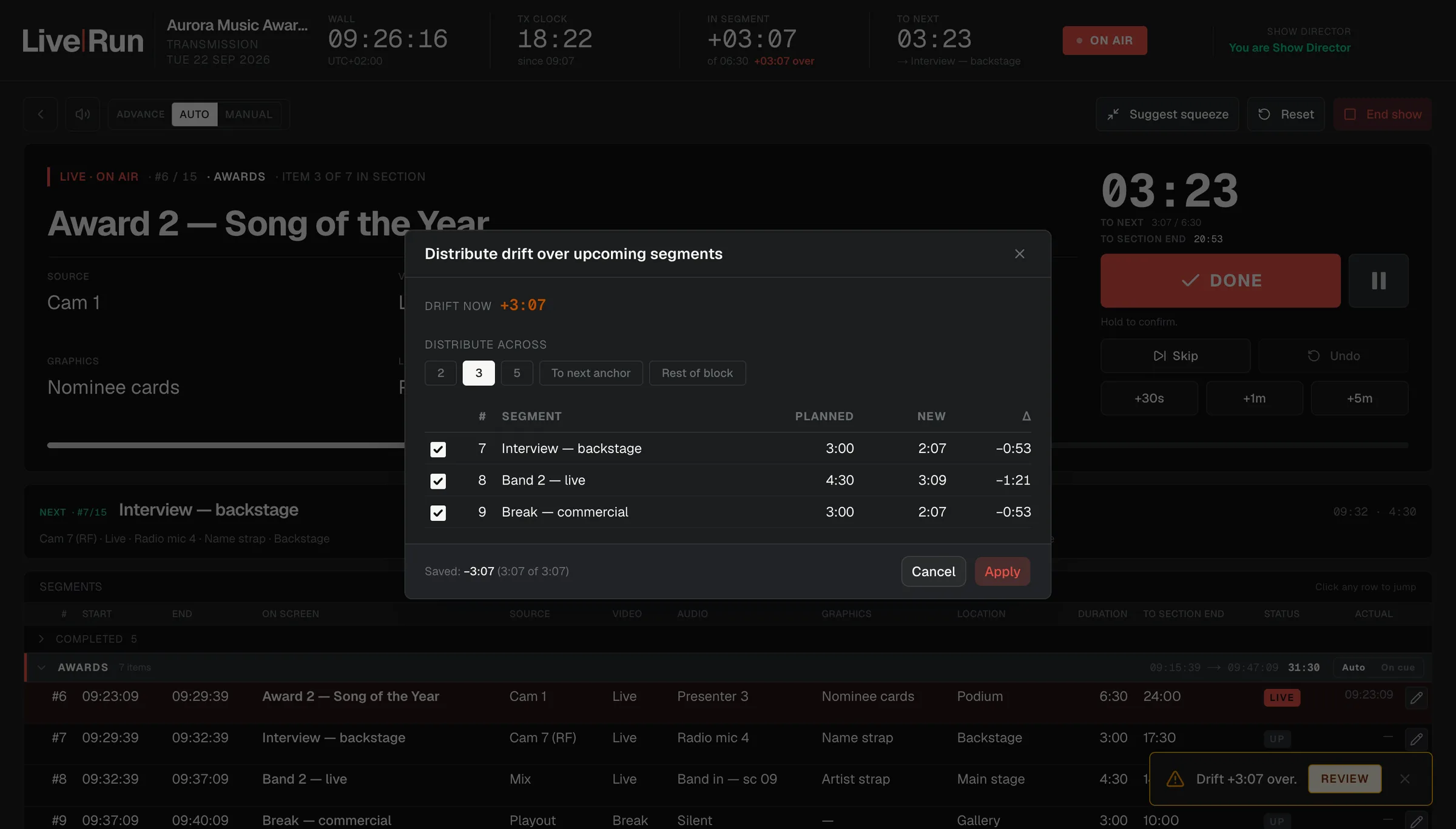
The wallboard runs on a link. Put it on the green room screen, the compound monitor, the corridor display — anyone walking past reads the same second as the gallery, and it carries segment names and times and nothing else.
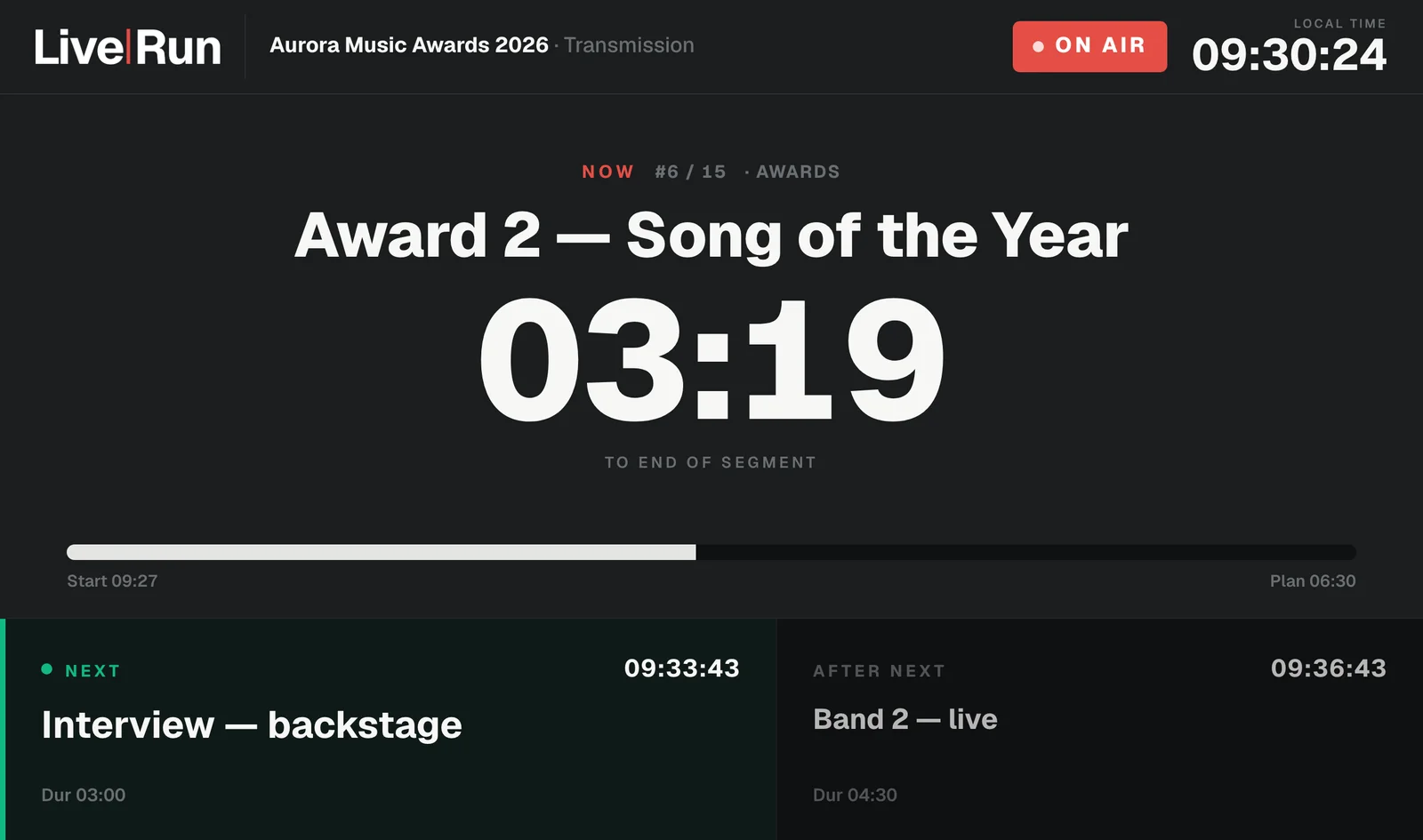
WallboardStudio, compound, green roomOn air
The crew never sees the editor. They get their own call time, their own department, the rundown as it runs and one tap to their team lead — on the phone they already carry, opened by a link, with no account to create and no app store to pass through.
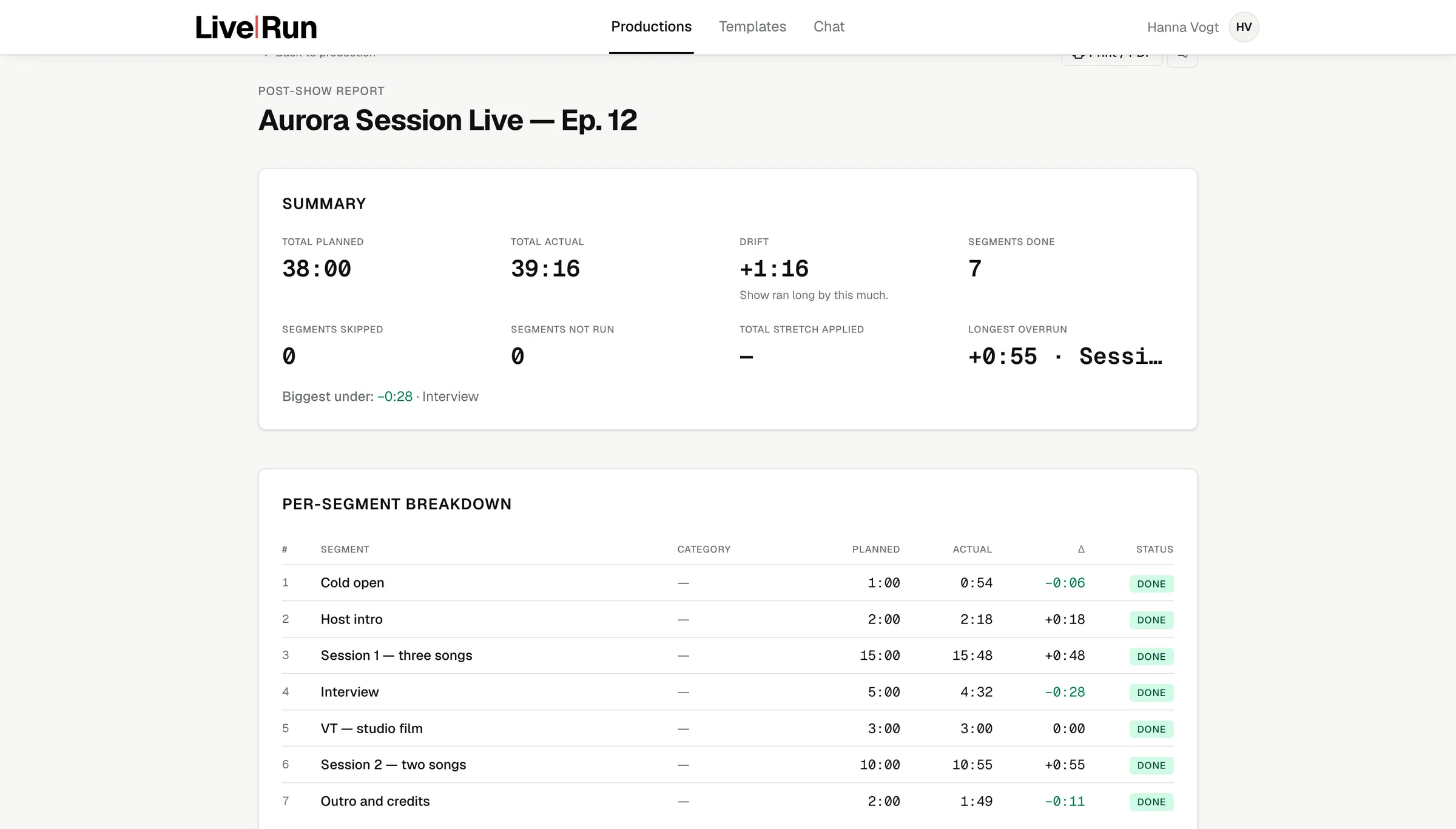
Planned against actual, segment by segment, with the longest overrun named. The next edition of the same format is planned against what happened, not against what anyone remembers.
You are the schedule. One workspace, one seat, every production you run — and a crew that stops asking you what time they are called.
Several producers, shared templates, a contact pool built once. The format you run every week stops being rebuilt every week.
A broadcaster or a large production company: departments with their own admins and their own contact pools, custom branding, and a record that answers who changed what and when.
Access opens a few productions at a time, so that each one gets a real setup — the day, the departments and the rundown built with you — instead of a sign-up form. Tell us what you run and when the next one is.
Application and database in the European Union.
Roles down to the department. Script and technical notes never leave the editor.
Who changed what, and when — kept with the production, and not editable afterwards.
No advertising, no marketing cookies, no behavioural analytics.